Introduction to Optimize Shopify Store Under 10 Min
If you run an online store, speed and user experience directly impact sales. The good news is that you can optimize Shopify store under 10 min with a few practical improvements.
Many store owners assume optimization requires complex coding or hours of work. In reality, small actions like compressing images, removing unnecessary apps, and improving product titles can dramatically boost store performance.
Modern ecommerce customers expect:
- Fast loading pages
- Smooth navigation
- Mobile friendly design
- Simple checkout
Even a 1-second delay in load time can reduce conversions by 7%. Small improvements can therefore create measurable revenue impact.
If deeper improvements are needed, teams like UXM Studio specialize in Shopify UX, speed optimization, and conversion-focused design.
This guide shows the fastest ways to optimize Shopify store under 10 min without technical complexity.
Why Shopify Store Optimization Matters
Optimizing a store is not only about aesthetics. It affects conversion rate, SEO visibility, and user trust.
Impact on Conversion Rate
When a store is optimized, users find products faster and complete purchases more easily.
Benefits include:
- Higher conversion rate
- Lower bounce rate
- Better customer experience
- Increased average order value
A well-optimized Shopify store creates a smooth buying journey.
Impact on SEO and Page Speed
Search engines evaluate page speed and user experience when ranking websites.
Optimization improves:
- Google search rankings
- Organic traffic
- Page indexing speed
You can analyze store performance using:
Stores that load faster than competitors often retain more visitors and convert better.
Quick Checklist to Optimize Shopify Store Under 10 Min
Below are practical improvements you can implement immediately.
Remove Unused Apps

Many Shopify stores install multiple apps but forget to remove unused ones.
Each installed app loads scripts that slow down page performance.
Quick Fix
- Open Shopify Admin
- Navigate to Apps
- Remove apps you no longer use
Removing unnecessary apps can significantly improve loading speed.
Compress Images

Large images are one of the biggest causes of slow ecommerce websites.
Best practices:
- Use JPEG for product photos
- Use WebP for faster loading
- Keep images under 300 KB
Popular tools:
- TinyPNG
- TinyIMG
- Crush Pics
Optimized images improve page speed and SEO performance.
Optimize Product Titles

Product titles help both customers and search engines understand what you sell.
Bad example:
Premium Jacket
Better example:
Men's Waterproof Winter Jacket – Lightweight & Warm
Tips:
- Include main keyword
- Highlight product feature
- Keep titles clear and readable
This improves search visibility and click-through rates.
Improve Mobile Layout
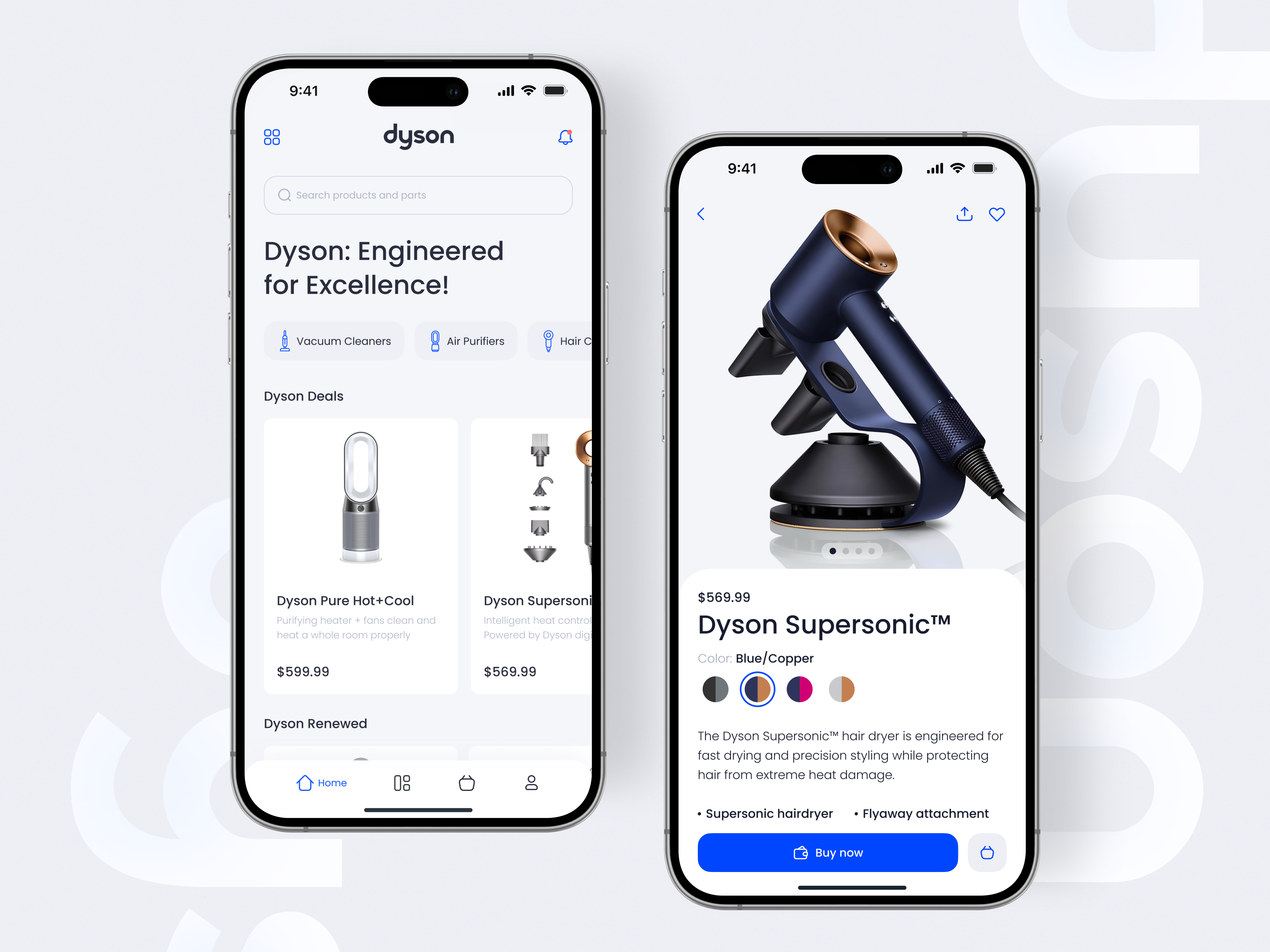
More than 70% of ecommerce traffic comes from mobile devices.
Check your store on a phone and ensure:
- Buttons are easy to tap
- Text is readable
- Images load quickly
Mobile optimization is one of the fastest ways to increase conversions.
Improve Shopify Store Speed Instantly
Speed directly impacts both SEO ranking and user satisfaction.
Reduce Heavy Scripts
Many themes and apps load unnecessary JavaScript.
To improve performance:
- Remove unused apps
- Avoid heavy animations
- Limit marketing popups
Cleaner code results in faster page loading.
Use Fast Shopify Themes
Not all themes are built with performance in mind.
High-performance themes typically include:
- Lightweight structure
- Minimal scripts
- Optimized mobile layouts
Some agencies rebuild themes specifically for performance improvements. UXM Studio, for example, focuses on conversion-focused Shopify UX and speed optimization.
SEO Optimization Tips for Shopify
Search engine optimization helps your store gain free organic traffic.
Meta Titles and Descriptions
Every page should have:
- A keyword-focused title
- A clear description
- A compelling call to action
Example:
Title
Buy Premium Leather Wallet – Free Shipping
Description
Discover durable leather wallets with modern design. Shop now for premium quality and fast delivery.
Internal Linking Strategy
Internal links help search engines understand site structure.
Examples include:
- Product → Collection
- Blog → Product page
- Homepage → Featured products
This improves crawlability and SEO strength.
Improve Shopify UX for Higher Conversions
User experience is a critical factor for ecommerce success.
Simple Navigation Design
Your store menu should remain clean and structured.
Example navigation:
- Home
- Shop
- Collections
- Best Sellers
- Contact
Too many categories confuse customers and slow decision making.
Faster Checkout Experience
Complicated checkout processes cause cart abandonment.
Optimization tips:
- Enable Shop Pay
- Reduce form fields
- Allow guest checkout
These improvements significantly increase completed purchases.
Shopify Store Optimization Tools
Automation tools can simplify optimization tasks.
Image Optimization Tools
Popular options include:
- TinyIMG
- Crush Pics
- Image Optimizer apps
These tools compress images automatically.
SEO Tools
Helpful Shopify SEO apps include:
- Smart SEO
- Plug In SEO
- SEO Manager
They assist with:
- Meta tags
- Alt text
- Structured data
Common Shopify Optimization Mistakes
Many store owners unintentionally harm performance.
Common mistakes include:
- Installing too many apps
- Uploading uncompressed images
- Ignoring mobile optimization
- Using slow themes
Fixing these issues can dramatically improve store performance.
Advanced Tips to Optimize Shopify Store Under 10 Min
If you want additional quick improvements:
- Enable lazy loading for images
- Use WebP image format
- Remove unused CSS
- Simplify homepage sections
- Improve product page UX
These small changes can noticeably improve speed and conversions.
When to Hire Shopify Experts
Quick fixes are helpful, but deeper optimization may require professional support.
Expert Shopify teams can assist with:
- Conversion rate optimization
- Speed optimization
- UX/UI redesign
- Advanced SEO improvements
Teams like UXM Studio focus on improving Shopify performance, UX design, and conversion rates for growing ecommerce brands.
Frequently Asked Questions
Can I optimize Shopify store in 10 minutes?
Yes. Tasks such as removing unused apps, compressing images, and optimizing product titles can be completed quickly and improve store performance.
What is the fastest way to improve Shopify speed?
The quickest improvements include:
- Removing unused apps
- Compressing images
- Using a lightweight theme
Does Shopify speed affect SEO?
Yes. Google considers page speed a ranking factor, meaning faster stores often achieve better search rankings.
How many apps should a Shopify store use?
Only install essential apps. Too many apps slow down performance.
What is the best image size for Shopify products?
A recommended size is 2048 × 2048 pixels, compressed under 300 KB for fast loading.
Conclusion
Store optimization does not need to be complicated.
With just a few improvements you can optimize Shopify store under 10 min and significantly improve:
- Page speed
- SEO performance
- User experience
- Conversion rates
Simple actions like removing unused apps, compressing images, improving product titles, and optimizing mobile layouts can produce immediate results.
And when you're ready to scale performance further, experienced Shopify UX specialists such as UXM Studio can help transform your store into a high-performing ecommerce platform.